Showing posts with label Annette. Show all posts

Friday, June 17, 2011

Nook Color - First Impressions

I've been keening for a Nook Color since about Mother's Day. I don't really *need* a tablet or a newer eReader, but I wanted one, because I am a gadget queen. I didn't even want one when it was announced last fall, mainly because I was looking at the Viewsonic Gtab as a tablet and already owned an Aluratek Libre Pro.

The Nook Color is being advertised as "the most affordable Android tablet on the market", and a pretty nifty eReader too. It's finally in my hot little hands thanks to @hankito. I was actually going to wait to save up the $250 (it's $249 from Barnes and Noble) but we can't pass up a good sale!


Now for the interesting bits.

Unboxing
I was so excited I didn't bother doing an unboxing video, but I was eerily reminded of when I unboxed my Nexus One. By the way, my Nook looks like the big sister of my N1! First impression - ABSOLUTELY GORGEOUS! and then the let down as I waited 3 hours for it to charge.

I still booted up that night before going to bed. The color screen is amazing! I had to turn the brightness down a bit for playing with it reading in bed.

Weight
Girlish accessorizing bits aside, I am loving this eReader/tablet. Some people have complained that it's too heavy. I also have an Aluratek Libre, bought just over 15 months ago. I like it. The battery life could be longer, but it has served me well. And it is incredibly light. The Nook Color is just under a pound and feels comparable to a hefty hardcover. I can hold it in one hand comfortably for over an hour and not feel fatigued.

Formats and Media Storage
The main reason I chose the Aluratek over the Kindle was the formats that it handles. The same goes for the Nook:
  • eBooks - EPUB (including Non or Adobe DRM), PDF
  • Other Docs: XLS, DOC, PPT, PPS, TXT, DOCM, XLSM, PPTM, PPSX, PPSM, DOCX, XLX, PPTX    
  • Graphics: JPG, GIF, PNG, BMP    
  • Audio: MP3, MP4, AAC
  • Video: MP4
I am not confined to one book store! I tested this by adding books I had bought from Borders to the NC. You need to have Adobe Digital Editions installed, authorize your device, and voila! Any book from NetGalley and Borders that I had previously purchased now reside on my Nook. I am a happy camper indeed. I also tested out safaribooks.com on the browser. You can read the books in the browser (the text flows beautifully), or download the PDF for offline reading. Win! I can also add to the included 8GB internal storage with up to a  32GB micro-SD card.

Screen
The screen is quite bright, but both screen brightness and font are customizable. You can choose between six different font sizes, six different page flows/margins, and six fonts - three serif and three sans serif.

I got a cover to go with the NC to protect it and give me that feeling of holding a traditional book.

The only thing I miss is the "Back" button, but I am getting used to pressing the home button or the "app drawer" that brings up the menu to go to my library, shopping, apps, the web, or settings.

Apps:
Of the pre-installed apps, I am addicted to the crossword puzzle game. Fair warning, to download any free books, apps, or even start your 14-day free trial of magazines you need to have a credit card on file. I did install goodreads and Seesmic since they are free. I have Angry Birds for free on my phone and didn't feel like paying to have it on my Nook. Right now most of the apps are premium, the main motivating reason for me to get it rooted. I want access to the Android Market.

The on-screen keyboard is amazingly responsive, as is  auto-rotate (which you can turn off in settings if you need to). I want to get HBOGo on it so I can catch up on episodes of Game of Thrones!

Things I still need to test out:
  • Root with CM7 Nook mod
  • Maybe install NookieHoneyComb 
  • Test out the actual battery life. It's advertised as 8 hours of reading with wi-fi off
  • Nook Friends and LendMe - I connected to twitter and Facebook and my address book and it found a few of my friends who also use the LendMe option. 
  • B&N Specials
    • Bring NOOK Color into any Barnes & Noble store to get exclusive articles from top authors, and great offers including cafe treats and unique deals.
    • Read NOOK Books free when connected to the free in-store Wi-Fi®.  I can do this while the Teen browses for hardcover versions. He hates using an eReader.

Wednesday, April 27, 2011

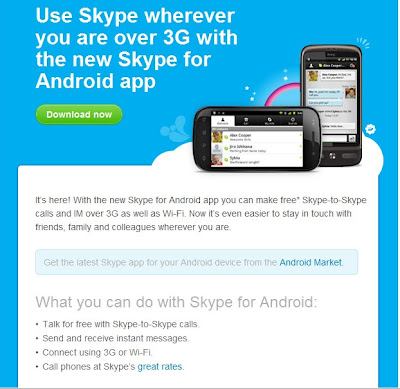
Skype Now Makes Calls Over 3G

Download the updated Skype app and start making free calls.
With the new Skype for Android app you can make free Skype-to-Skype calls and IM over 3G as well as Wi-Fi.
Posted by Picasa

Monday, February 14, 2011

All Free Things Must Come to an End

last.fmI was saddened to read this morning the following:
From February 15 you will need to be a subscriber to listen to Last.fm Radio stations on devices, including your Last.fm Android app.
No other features are affected by this change.
In taking this decision, we have given a lot of thought to how this impacts some of our early adopters and long-time users like you. We truly appreciate what you have meant to our growth and success, and offer you the following as a token of our thanks;
A free 3 month subscription to Last.fm
This will start automatically on February 15th 2011. As a result you will continue to be able to use Last.fm as you do today until the end of your subscription.  If you'd like to see the other benefits of your free subscription, please visit the subscription page.

We appreciate you may have questions about this announcement, so visit our blog to read more about these changes and offer feedback.
Last.fm Radio will remain free on the Last.fm website in the US, UK and Germany and for the US and UK users of Xbox Live and Windows Mobile 7 phones. We’ll also continue to offer radio for free via the Last.fm desktop app.
Last.fm sent this notice a week ago, but I guess I am a little behind on reading my mail.

So enjoy your free music while you can.

Wednesday, February 2, 2011

Android Market Launches


As reported by HTC today, the Android Market is live! Just like AppBrain you log-in using your Google credentials.


What's the big deal?
  • Apps and games galore. 
    Immerse yourself in the rich world of apps and games limited only by the imagination of the Android development community. Choose from a huge selection of games ranging from action to casino to casual, or from categories spanning social, travel, health, productivity, entertainment, and more!
  • Shop on the big screen tailored just for you. 
    When signed-in to Android Market with the same account you use on your phone, you see the content meant for your device and can send it to your device immediately, without needing those pesky cables.
  • Share and share alike. 
    Send links for your favorite apps to your friends, even the ones without Android phones.

As of this writing I am still getting an error from Google, so hopefully I will be able to explore and add apps soon. I can't wait to explore the market on the big screen and try out all the options once I am logged in. In the mean time, I'll window shop.

I wonder how this will affect AppBrain?
Enhanced by Zemanta

Tuesday, October 19, 2010

No more Netflix disc on the Wii


Well, this is great news! The Roku box can go back up to my bedroom and I don't have to wonder what happened to the disc or what my nieces may have spilled on it. Or how much dog hair is on it ... let's just say that Netflix losing the disc is a good thing in my house.

Monday, September 27, 2010

New phone angst: Samsung Vibrant vs. Google/HTC Nexus One

Oh … what a dilemma!!! So, I took advantage of the T-Mobile BOGO. Yesterday I called T-Mobile’s customer service line and verified that I was indeed eligible for an upgrade at the BOGO special, verified that the special was still ongoing (it was supposed to have ended in early September but has been indefinitely extended) and that I could extend payments over a few months on my bill. All was a go. Oh, and I changed my contract from myFaves 400 (no longer available) to Even More for Families 750 (we hardly talk on the phone, but we are mad texters) so that I could also take advantage of the Kids are Free promotion (hello savings of about $240 over the course of the next year).
In general, this is a no-brainer – keep the Nexus (oh I love this phone!) but @hankito has become a full-on convert to Android (used to Apple and iPhone all the way) and has spent so much time one the XDA Forums over the last month, that he now knows how to root and put different ROMs on the phone in the space of a few minutes. He rooted my Nexus using a 1-click app in less that 10 minutes yesterday morning (no @cyanogen mod on it yet though, I still want the chance to get in there and play around a bit myself).
A non-rooted, non lag-fixed, non-GPS fixed, non-Froyo Vibrant is … underwhelming. It’s downright frustrating! (and meh) Froyo was such a huge improvement to the Android OS that not running it, despite the absolutely GORGEOUS display on the Vibrant is well … not worth it. And there’s no Flash – Adobe or camera. And I really like my LED notifications and trackball.
So, should I switch just to have the latest android phone (before the G2 anyway)?
Nexus One Specs
Dimensions: 4.69" x 2.35" x 0.45"  
OS: Google Android 2.1 (now rooted with 2.2)
Weight: 4.59 oz (130g) 
Internal Memory: 174MB
Talk Time: 7 hours (420 minutes) 
Nexus One Bluetooth: A2DP
Standby: 250 hours (10.4 days) 
Connector: micro-USB
Nexus One Battery: 1400mAh Li-Ion 
Touch Screen: Finger capacitive
Screen Size: 3.7" 
Nexus One Memory Card: microSD
Display Res: 480x 800 pixels 
Camera: 5 megapixel
and more
I'm wanting to keep my Nexus until Gingerbread is released.
Vibrant Specs (Also known as Samsung T959 Galaxy S)
Dimensions: 122.4 x 64.5 x 9.9 mm
Weight:117.9g (lighter than the Nexus)
DISPLAY: Super AMOLED capacitive touchscreen, 16M colors
Screen Size
480 x 800 pixels, 4.0 inches
- TouchWiz 3.0 UI
- Multi-touch input method
- Accelerometer sensor for UI auto-rotate
- Touch-sensitive controls
- Proximity sensor for auto turn-off
- Swype text input
MEMORY
Phonebook
Practically unlimited entries and fields, Photocall
Call records
Practically unlimited
Internal
16GB storage, 512 MB RAM
Card slot
microSD, up to 32GB, 2GB card included, buy memory
DATA: GPRS Class 12 (4+1/3+2/2+3/1+4 slots), 32 - 48 kbps
EDGE Class 12
3G HSDPA; HSUPA
WLAN Wi-Fi 802.11 b/g/n; DLNA
Bluetooth Yes, v3.0 with A2DP
USB
Yes, v2.0 microUSB
CAMERA
Primary
5 MP, 2592 x 1944 pixels, autofocus
Features
Geo-tagging, touch focus, face and smile detection
Video
Yes, 720p@30fps
FEATURES
Android OS, v2.1 (Eclair)
CPU: 1GHz Samsung Hummingbird processor
Radio: Stereo FM radio with RDS
GPS
Yes, with A-GPS support (currently broken, waiting for the official fix, or you can get it in the xda forums)
Java
Via third party application
- Social networking integration
- Digital compass
- MP4/DivX/WMV/H.264/H.263 player
- MP3/WAV/eAAC+/AC3/FLAC player
- Organizer
- Image/video editor
- Document editor (Word, Excel, PowerPoint, PDF)
- Google Search, Maps, Gmail,
YouTube, Calendar, Google Talk, Picasa integration
- Flash Lite v3.1
- Voice memo/dial/commands
- T9
BATTERY
Standard battery, Li-Ion 1500 mAh
Stand-by
Up to 432 h
Talk time
Up to 6 h 30 min
Do you have a Galaxy S phone? Still drinking the Apple Kool-Aid? Or waiting for the G2?
Related articles by Zemanta
Enhanced by Zemanta

Wednesday, September 22, 2010

Dropbox Android app update

Dropbox 
Dropbox v 1.0.0.1 is now available for download. There has been some trouble with getting from the market, so you can use the QR code or download from http://db.tt/d7N59Lo
--------------
Release Notes:
1.0
  • Better retry logic on failed uploads
  • Fixed syncing of edits made to files opened from search results view
  • Other minor bug fixes
0.9.8.9 Beta
  • Added support for Audible's .aa and .aax file formats
  • Changed Gallery UI design slightly
  • Bug Fixes


    • Up-to-date version of file is downloaded when changed remotely.
    • Stability, fixed several FCs, and other improvements
0.9.8.8 Beta
  • Added "Share to Dropbox" from other applications (Gallery, etc). Either single or multiple files can be shared at the same time.
  • File Downloads & Uploads now display progress notifications instead of Spammy Toasts.
  • Multi-touch Gallery for pictures in a directory. Long-hold on pictures in gallery to do file operations.
  • Now you can create Shortcuts to Dropbox folders by long-holding on the desktop.
  • Added long-hold folder options for sharing and open.
  • Long-hold file Open now plays non-streaming, if it's a streaming file type.
  • Added Cache Size display and Clear Cache button.
  • Prompt to install file manager such as OI or Astro if one is not installed already.
  • Notification if SD card is unavailable, so downloads, viewing, or uploads won't work.
  • The e-mail to tell friends about Dropbox now contains a referral link, so you can get a quota bonus.
  • Visual Redesign with new icons
  • Bug Fixes


    • Small file changes now sync properly
    • Files don't re-upload any more on upgrade or re-install
    • Increased network timeout so it works better on slow networks
-- from Dropbox Forums

I do believe I may be getting a few more Audible books.

Audible
Get Audible here:

Wordfeud - Now Ad Free!


Just a quick announcement. If you happen to be addicted to Wordfeud (like I am) You can now make a donation to support further development of Wordfeud. In return the ads will be removed from your game. To make a donation, go to wordfeud.com/donate/
Make sure to update to v1.0.8 first (just released to the market).

Thursday, September 9, 2010

Buy One Galaxy S Get one Free on T-Mobile


Well, hot damn! I think it's time for me to upgrade, well ... on contract it says that I have a G1, and upgrading from a G1 to a Vibrant would be an awesome deal, and who doesn't love a BOGO (that's Buy One, Get One - popularized by Payless). I wonder if I can get it for less, I got the G1 for $179 since I am such a loyal T-Mobile customer (no sarcasm there, nope, none at all, be sure to read the fine print).

But what would I do with two of them? I just got Josh a Blackberry. And Joy DEFINITELY does NOT need a smartphone. Decisions, decisions ... @hankito and @phatemokid should never have shown me how the Galaxy S blows away the Nexus One in benchmark tests.